Head-to-head MIDI controller comparison

Arturia KeyLab Essential 49 mk3 vs Novation Launchkey 49 MK4

The Novation Launchkey 49 MK4 is the stronger creative controller if you want better pads, deeper DAW workflow controls, and built-in composition tools. The Arturia KeyLab Essential 49 mk3 is still the cleaner pick if you want a lighter board built around Analog Lab, simple fader-and-knob control, and a shallower desk footprint.

As an Amazon Associate, Worth Adding earns from qualifying purchases. We may earn a commission if you buy through our links.

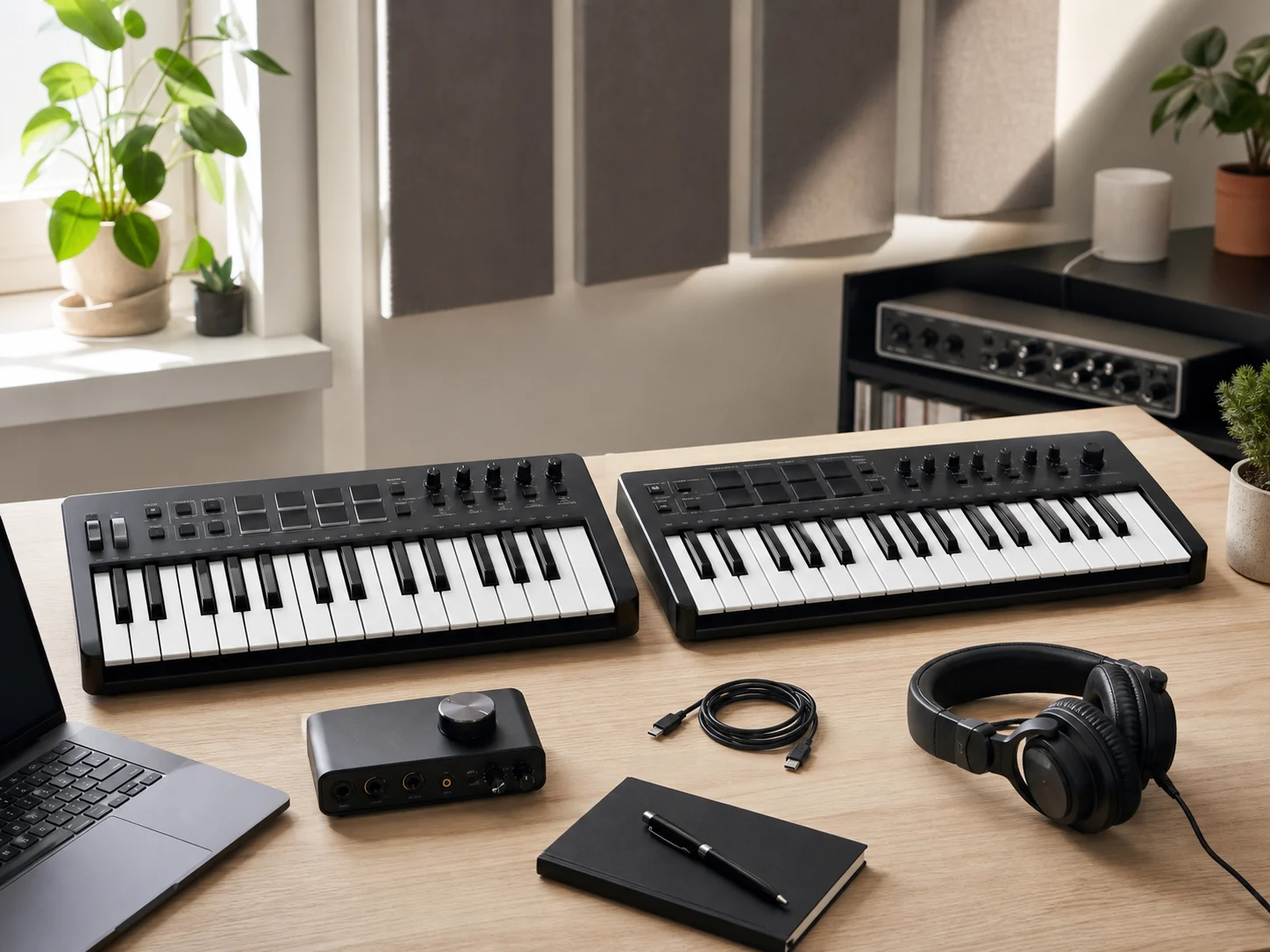
Two unbranded 49-key MIDI controller keyboards on a bright home production desk with studio headphones, laptop, USB cable, and audio interface for the Arturia KeyLab Essential 49 mk3 vs Novation Launchkey 49 MK4 comparison
Last checked
Winner Novation Launchkey 49 MK4
Best alternative Arturia KeyLab Essential 49 mk3
Verdict

Which one should most people buy?

Novation is the better buy for most producers who want a 49-key controller to do more than basic notes, faders, and transport control.

Buy the Launchkey unless Analog Lab is the reason you are shopping.

The Launchkey 49 MK4 wins this head-to-head because Novation gives you a more performance-forward control surface: 16 RGB pads with polyphonic aftertouch, eight endless encoders, nine faders and buttons, an OLED screen, chord and scale modes, a generative arpeggiator with step editor, and custom DAW scripts for several major DAWs. That combination matters if you want the controller to help build parts, launch ideas, and move around a session without constantly reaching for the mouse.

Choose the KeyLab Essential 49 mk3 if your setup is Arturia-first or desk space matters more. Arturia lists a lighter 2.76 kg body, a shallower 240 mm depth, nine encoders, nine 30 mm faders, eight pressure-sensitive pads, Analog Lab V integration, MCU/HUI support, NKS compatibility, USB-C bus power, and 5-pin MIDI out. It is less pad-heavy, but it is a sensible controller for players who mostly want keys, faders, and Arturia software browsing.

At a glance

The key specs.

Best for Arturia users

Arturia KeyLab Essential 49 mk3

A lightweight 49-key USB-C MIDI controller with hybrid-feel velocity-sensitive keys, Analog Lab V integration, nine encoders, nine faders, eight pads, creative modes, MIDI out, and pedal input.

Keys
49 velocity-sensitive hybrid-feel keys
Pads
8 touch and pressure-sensitive pads; 2 banks
Controls
1 clickable encoder, 9 rotary encoders, 9 x 30 mm faders
Connections
USB-C, 5-pin MIDI out, assignable pedal input
Size and weight
790 x 70 x 240 mm; 2.76 kg
Best for
Arturia Analog Lab users, lighter desks, simple fader control, and software browsing.
Best overall controller

Novation Launchkey 49 MK4

A 49-key USB-C MIDI controller with semi-weighted keys, 16 RGB pads with polyphonic aftertouch, an OLED display, eight encoders, nine faders, chord tools, scale tools, and broad DAW scripts.

Keys
49 semi-weighted piano-style keys
Pads
16 RGB velocity-sensitive pads with polyphonic aftertouch
Controls
8 endless encoders, 9 faders and buttons, workflow controls
Connections
USB-C, 5-pin MIDI out, sustain pedal jack
Size and weight
730 x 263.5 x 93 mm; 4.08 kg
Best for
DAW control, clip launching, finger drumming, chord tools, scale tools, and mouse-light production.
Buyer guide

Choose by workflow, not key count.

Both are 49-key USB-C controllers with MIDI out and faders. The decision is mostly about your software center of gravity: Arturia sound browsing and lighter desk fit, or Novation's stronger pads and broader hands-on DAW workflow.

Arturia KeyLab Essential 49 mk3

Buy this if / skip this if

Buy this if
  • You use Analog Lab V often and want preset browsing, smart-assigned controls, and Arturia-centered workflow on the hardware.
  • Your desk shelf is shallow; Arturia lists a 240 mm depth and 70 mm height, so it is easier to slide into tighter workspaces.
  • You want a lighter 49-key controller for moving between a desk, rehearsal space, or small writing setup.
Skip this if
  • You finger-drum or launch clips often and want more than eight physical pads available at once.
  • You want the controller itself to supply deeper chord maps, scale guidance, and step-style arpeggiator workflow.
  • You prefer a larger OLED-style display for DAW feedback instead of Arturia's simpler 2.5 inch LCD workflow.
Novation Launchkey 49 MK4

Buy this if / skip this if

Buy this if
  • You work in Ableton Live, Logic, Cubase, FL Studio, Reason, Bitwig, or Ardour and want custom DAW scripts plus transport and workflow controls.
  • You use pads for drums, chords, clip launching, or expressive performance and want 16 pads with polyphonic aftertouch.
  • You want built-in composition help, including scale mode, chord modes, zones, layering, and a generative arpeggiator with step editor.
Skip this if
  • You mostly want a compact controller for Arturia instruments and do not need the extra pad grid or Launchkey workflow buttons.
  • Your desk depth is tight; Novation lists 263.5 mm depth and 93 mm height, so it occupies more front-to-back and vertical room.
  • You regularly carry the controller and would rather save the roughly 1.3 kg weight difference on paper.
Pad count

Eight pads can cover basic drums, triggering, or chord ideas. Sixteen pads changes the workflow because drum racks, clip grids, and chord layouts fit with less paging.

Desk depth

Width is not the whole fit story. Arturia is wider, but its listed 240 mm depth is easier on a shallow desk. Novation is narrower, but its deeper, taller body needs more front-to-back room.

Software center

If Analog Lab is your main sound browser, Arturia's mapping is the point. If the DAW itself is the instrument, Novation's script support, pads, OLED, and workflow buttons matter more.

Before you buy

Check these MIDI-controller fit points first.

  • Confirm your DAW is in the officially supported script list if you expect automatic mixer, transport, and session control.
  • Measure desk depth with cables attached. USB-C and MIDI cables still need clearance behind the controller.
  • Decide whether pads are a real workflow need. If you only play keys and adjust faders, extra pads may not be worth the larger, heavier controller.
  • Budget for a sustain pedal if you play piano parts. Both pages list pedal support, but that accessory may not be included with the controller.
Side by side

Compare the trade-offs.

The table focuses on official specs that change ownership: keys, pads, faders, display, creative tools, DAW scripts, connectivity, dimensions, and carrying weight.

Arturia KeyLab Essential 49 mk3 vs Novation Launchkey 49 MK4 official spec comparison.
Metric Arturia KeyLab Essential 49 mk3 Novation Launchkey 49 MK4
Best fit Analog Lab users, lighter desks, simple fader control, and software browsing. WinnerDAW control, clip launching, finger drumming, chord tools, scale tools, and mouse-light production.
Keys 49 velocity-sensitive hybrid-feel keys 49 semi-weighted piano-style keys
Pads 8 touch and pressure-sensitive pads; 2 banks 16 RGB velocity-sensitive pads with polyphonic aftertouch
Faders and encoders 1 clickable encoder, 9 rotary encoders, 9 x 30 mm faders 8 endless encoders, 9 faders and buttons
Display 2.5 inch LCD with contextual buttons 128 x 64 monochrome OLED
Creative tools Arpeggiator, chord mode, scale mode, hold, transpose, and user presets Generative arpeggiator with step editor, scale mode, zones, split, layer, and chord modes
DAW and software fit Analog Lab V integration, Ableton Live Lite, NKS compatibility, MCU/HUI, and custom DAW scripts for major DAWs Custom DAW scripts for Ableton Live, Logic, Cubase, Reason, FL Studio, and Ardour; HUI for other DAWs
Connectivity USB-C, 5-pin MIDI out, control input for sustain, expression, or footswitch USB-C, 5-pin MIDI out, sustain pedal 1/4 inch jack, Kensington slot
Size and weight 790 x 70 x 240 mm; 2.76 kg 730 x 263.5 x 93 mm; 4.08 kg
Main drawback Only eight physical pads and a simpler performance-control surface than the Launchkey. Heavier and deeper on paper, with less reason to choose it if Arturia software browsing is the priority.
Buyer fit summary The KeyLab is the better fit when Analog Lab control, lighter carry weight, and shallower desk depth matter most. The Launchkey is the better fit when pads, DAW workflow, and creative tools matter more than saving desk depth.
How we compared

The criteria behind the pick.

We compared manufacturer-published controller specifications, keybed descriptions, pad counts, fader and encoder layouts, DAW integration notes, creative tools, connectivity, dimensions, weight, and product-specific retailer listings. Prices, ratings, review counts, and availability were intentionally left out because they can change and were not needed for this buying decision.

Specs checked

Official Arturia and Novation pages supplied the key, pad, control, display, DAW, connectivity, box-content, size, and weight details used here.

Fit checked

The recommendation favors the controller that changes the most day-to-day production work: pads, DAW navigation, creative tools, and session control.

Best fit

Pick Novation for a more complete DAW controller. Pick Arturia when Analog Lab browsing, lighter weight, and shallower desk fit are the main reasons to buy.

Source trail

What the recommendation is based on.

Arturia KeyLab Essential 49 mk3

The KeyLab is the better fit when Analog Lab control, lighter carry weight, and shallower desk depth matter most.

Sources: Arturia and retailer listing.

Novation Launchkey 49 MK4

The Launchkey is the better fit when pads, DAW workflow, and creative tools matter more than saving desk depth.

Sources: Novation and retailer listing.

FAQ

Questions before checkout.

Which MIDI controller is better for Ableton Live?

Novation Launchkey 49 MK4 is the stronger Ableton Live pick because Novation lists custom DAW scripts, dedicated workflow controls, clip-oriented pads, and Launchkey-specific Ableton workflow features.

Which one is better for Arturia Analog Lab?

Arturia KeyLab Essential 49 mk3 is the better fit if Analog Lab V is central to your setup because Arturia lists direct Analog Lab browsing, smart-assigned controls, and included Analog Lab V software.

Do both controllers work without a separate power supply?

Yes. Both official spec pages list USB-C bus power. Each also includes a USB cable in the box.

Which controller is easier to fit on a small desk?

Arturia is lighter and shallower on paper at 790 x 70 x 240 mm and 2.76 kg. Novation is shorter in width but deeper and heavier at 730 x 263.5 x 93 mm and 4.08 kg.

Which one should a beginner buy?

Buy Arturia if you want a lighter, simpler controller centered on Analog Lab and basic DAW control. Buy Novation if pads, chord tools, scale tools, and deeper DAW workflow controls matter more.

Best overall

Novation Launchkey 49 MK4

Sixteen polyphonic-aftertouch pads, a 128 x 64 OLED, chord and scale tools, custom DAW scripts, USB-C, MIDI out, and nine faders make the Launchkey the more capable center of a software studio.

Last checked: . Retailer availability, coupons, delivery estimates, and other listing details can change without notice.

Decision notes
Best overallNovation Launchkey 49 MK4
Best for Arturia usersArturia KeyLab Essential 49 mk3
Data sourceOfficial Arturia and Novation specs plus product-specific Amazon listings
Last checked
Novation Launchkey 49 MK4 More complete DAW and pad control.
Amazon